Disclosure: This post contains affiliate links. If you purchase through our links, we may earn a small commission at no extra cost to you. We only recommend products we genuinely believe in.
Pet Camera Buying Guide 2026: Everything You Need to Know Before Buying
Leaving your pet at home while you head to work or run errands can feel like leaving a piece of your heart behind. You wonder — are they anxious? Did they knock something over? Are they just sleeping peacefully? A pet camera answers all of those questions in real time, and in 2026, the technology has never been better or more affordable.
But walking into the pet camera market for the first time is overwhelming. There are dozens of models ranging from $30 to $250+, with features that sound impressive but may not matter for your specific situation. This guide cuts through the noise so you can make a confident, informed decision.
Why Get a Pet Camera?
Before spending money, it helps to understand what problem you are actually solving. Pet cameras are not just novelty gadgets — they serve real, practical purposes:
- Separation anxiety monitoring. Some pets become destructive or distressed when left alone. A camera helps you identify whether your pet has a real anxiety problem or just acts out occasionally.
- Safety checks. You can verify your pet hasn't gotten into something dangerous — a knocked-over trash can, a chewed electrical cord, or an escape attempt.
- Reinforcement and interaction. Two-way audio and treat dispensers let you reward good behavior remotely or simply let your pet hear your voice when they seem unsettled.
- Peace of mind. Honestly, sometimes you just want to see their face. That alone is worth the price of entry for many pet owners.
If any of those scenarios resonate with you, a pet camera is worth the investment.
Video Quality: 1080p vs 2K vs 4K
Resolution is the first spec most shoppers look at, and it genuinely matters — but perhaps less than you think at the higher end.
1080p (Full HD) is the baseline in 2026. Any camera below 1080p is not worth considering. At 1080p you can clearly see your pet's face, read expressions, and watch movement without significant blur. For most living rooms and apartments, 1080p is entirely sufficient.
2K (2560×1440) offers noticeably sharper detail, especially useful if your camera covers a large open room or if you want to zoom in without losing image quality. If you have a large dog or a home with multiple pets spread across a wide space, 2K is worth the modest price premium.
4K is available on premium models but largely overkill for pet monitoring. Unless you're running the camera in a very large space and doing heavy digital zoom, the difference between 2K and 4K is hard to notice on a phone screen. The tradeoff is that 4K footage eats storage much faster, which matters if you're paying for cloud storage.
Recommendation: For most people, a 1080p camera is excellent value. Go 2K if your budget allows and your space is larger than a single room.
Pan/Tilt vs Fixed Camera
Fixed cameras point in one direction. They are simpler, typically cheaper, and have fewer moving parts that can break. If your pet has a favorite spot — a couch, a crate, a window perch — a fixed camera aimed at that spot may be all you need.
Pan/tilt cameras use motors to rotate the lens horizontally (pan) and vertically (tilt), giving you near-360-degree coverage of a room. You can control the direction manually from the app or set the camera to auto-track movement. These are ideal if your pet roams freely through a room or if you want to check multiple areas without buying several cameras.
The downside of pan/tilt cameras is that the motors add cost and a potential failure point over time. They also require a moment to reposition, which means you can miss brief events.
Recommendation: If you want to cover an entire open room with one camera, pan/tilt is worth it. For a single focused area, go fixed.
Treat Dispenser vs No Treat Dispenser
Treat dispensers are one of the most popular features in pet cameras — and one of the most frequently misunderstood.
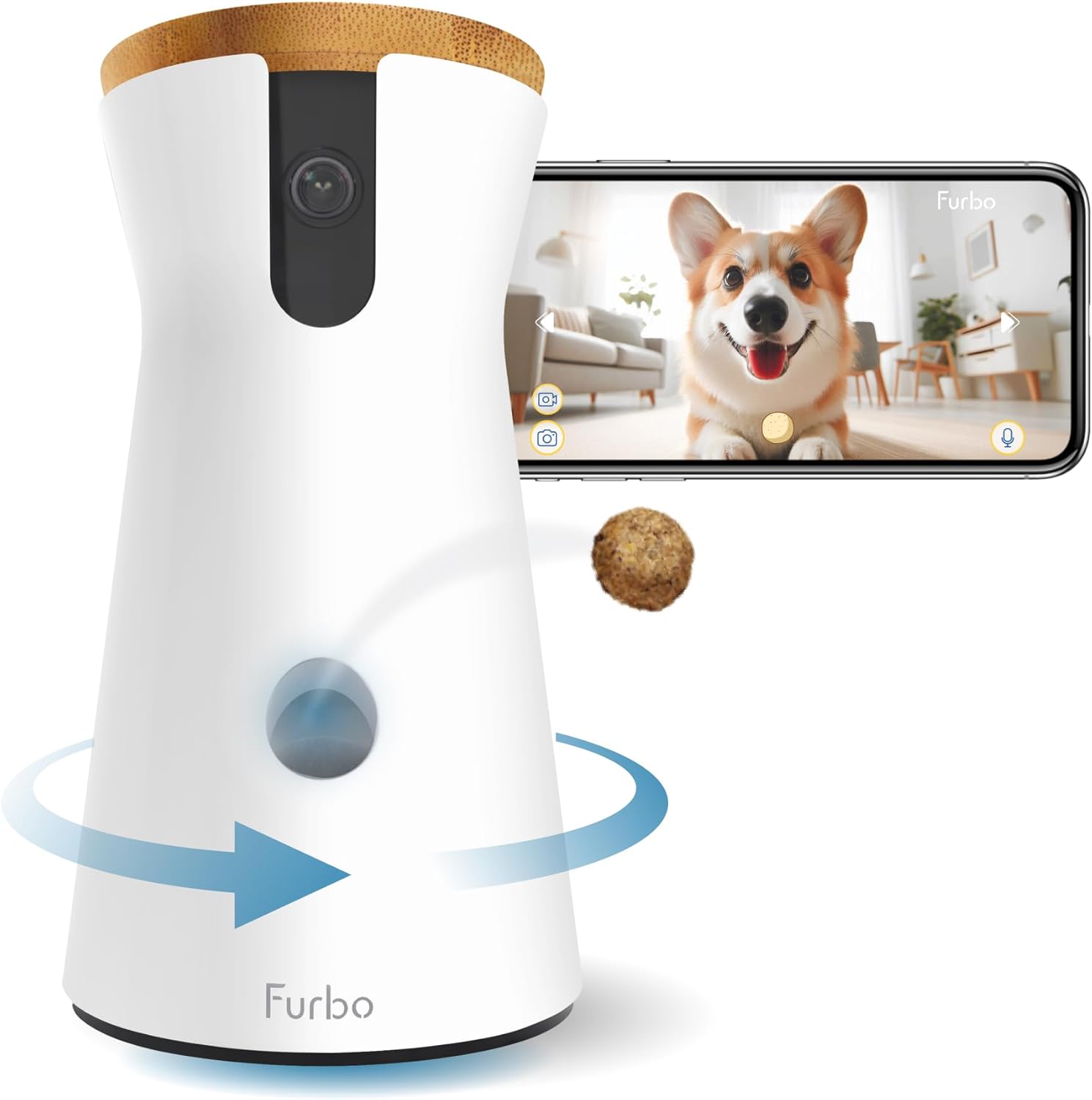
A built-in treat dispenser lets you launch treats remotely from the app. This is genuinely useful for: - Rewarding your pet for calm behavior - Distracting them from destructive habits - Giving them a reason to actually look at the camera (making it easier to see their face)
However, there are real caveats. Treat dispensers add significant bulk to the camera. They need to be refilled regularly. Some pets learn to sit in front of the camera begging all day. And the launch mechanism can jam, especially with irregularly shaped treats — most dispensers work best with small, round treats like Cheerios or specific pet training treats.
If your pet is food-motivated and you want an interactive element, a treat-dispensing camera is a great upgrade. If you have a cat who ignores treats or a dog on a strict diet, the extra cost may not be justified.
Browse treat dispensing pet cameras on Amazon →
Two-Way Audio Quality
Two-way audio allows you to speak to your pet through the camera's speaker and hear them through a microphone. In theory, this is a wonderful feature. In practice, quality varies enormously.
Good two-way audio should: - Reproduce your voice clearly so your pet actually recognizes it - Pick up your pet's sounds without excessive background noise - Have low enough latency that the conversation feels natural
Cheap cameras often have tinny, distorted speakers that more likely to startle a pet than comfort them. Before buying, look for user reviews specifically mentioning audio quality — it's often the most underreported spec in manufacturer descriptions.
Night Vision
Most pets are active in the evening, and cameras without good night vision leave you with a frustrating black screen after sunset. Look for infrared (IR) night vision as a baseline — this produces clear black-and-white footage in complete darkness.
A step up is color night vision, which uses a larger sensor or supplemental ambient light to produce color footage in low-light conditions. This is more useful than it sounds: distinguishing a knocked-over red bowl from a dark stain matters when you're trying to assess a situation remotely.
For most bedrooms and living rooms that receive any ambient light at all (streetlights, TV glow, nightlights), standard IR night vision is completely adequate.
Subscription Plans vs Local Storage
This is one of the most important — and least exciting — factors in choosing a pet camera, and it will affect your total cost of ownership significantly.
Cloud subscription plans store your recorded footage on the company's servers. You typically get a free tier with very limited history (24–48 hours) and pay a monthly fee for extended history, continuous recording, or AI-powered features like person detection or bark alerts. Plans typically range from $3 to $10/month per camera.
Local storage saves footage to a microSD card inside the camera or to a local NAS device. There's no ongoing cost, your footage is private, and you're not dependent on a company staying in business. The downside is that if someone steals the camera, they take the footage with it.
Some cameras offer both options, which is the best of both worlds.
Watch out for feature paywalls. Some cameras advertise features like "smart alerts" or "activity zones" that only work if you have an active subscription. Read the fine print before you buy.
Browse pet cameras with local storage on Amazon →
App Quality
A great camera paired with a terrible app is a frustrating experience. When evaluating app quality, look for:
- Live view speed. How quickly does the stream load? Anything over 5–10 seconds feels sluggish.
- Notification reliability. Are motion alerts timely and accurate, or do they arrive 10 minutes late?
- Multi-camera support. If you plan to expand, can the app manage multiple cameras from one screen?
- iOS and Android parity. Some brands invest heavily in one platform and neglect the other.
Check the app store rating and read recent reviews — not the overall score, which is skewed by old reviews, but the most recent 3–6 months. App quality often degrades after acquisitions or when companies shift focus.
Smart Home Integration
If you use Alexa, Google Home, or Apple HomeKit, integration with your pet camera can be genuinely useful. You can pull up a camera feed on your Echo Show, include it in routines (e.g., turn on the camera when you leave home), or set automations.
Not every camera supports every ecosystem. Alexa compatibility is the most common. Google Home support is widespread but occasionally inconsistent. Apple HomeKit is supported by fewer cameras but tends to be more reliable when it is available.
If smart home integration is a priority, verify compatibility before buying — don't assume it from a logo on the box.
Budget Tiers
Under $60: Entry-Level
At this price point you can get a solid 1080p fixed camera with basic two-way audio, IR night vision, and motion detection. Treat dispensers and pan/tilt are rare below $60. Expect to pay for a subscription if you want more than 24-hour clip history. Good for: renters, first-time buyers, single-pet households with a predictable routine.
Browse budget pet cameras under $60 →
$60–$150: Mid-Range Sweet Spot
This is where most people should shop. You get 1080p or 2K resolution, pan/tilt options, treat dispensers, better audio hardware, color night vision, and more generous free storage tiers. App quality tends to be meaningfully better. Most of the top-reviewed pet cameras live in this range.
Browse mid-range pet cameras $60–$150 →
$150 and Up: Premium
Premium cameras add 4K resolution, advanced AI detection (distinguishing between a pet and a person), professional-grade audio, expanded free cloud storage, and premium build quality. Worth considering if you have a large home, multiple pets, or specific needs like extended recording history. Also where you'll find the best HomeKit-compatible options.
Browse premium pet cameras $150+ →
Pet-Specific Features Worth Paying For
Barking / Meowing Alerts
Sound-triggered alerts that specifically detect pet vocalizations (as opposed to all noise) dramatically reduce false notifications. If you live in a noisy building or have kids in the house, this feature is worth a premium.
Laser Pointer
Interactive laser pointers, controllable from the app, are popular for cats and some dogs. They add interactivity beyond treat dispensing. Quality varies — look for adjustable speed and auto-play modes for when you're not actively watching.
Pet Detection / Activity Zones
AI-powered pet detection recognizes your animal specifically and can alert you only when they enter certain zones (e.g., the kitchen counter, the front door). This reduces noise significantly and makes alerts actually actionable.
Motion Sensitivity Controls
Adjustable sensitivity prevents constant false alerts from ceiling fans, shadows, and sunlight movement. This sounds minor but makes a huge difference in daily usability.
Frequently Asked Questions
Q: Do pet cameras work for cats as well as dogs? Yes, though cats tend to ignore them more. Laser pointer models are particularly popular for cats. If your cat is treat-motivated, a treat dispenser works well. If not, focus on camera quality and night vision since cats tend to be more active at night.
Q: Can my pet hear me through the camera? Yes, through the two-way audio speaker. Most pets respond to their owner's voice, though reactions vary — some find it comforting, others find it confusing or anxiety-inducing. Try it and observe how your pet reacts.
Q: Do I need to pay a monthly subscription? Not necessarily. Many cameras offer at least 24–48 hours of free cloud storage, and local microSD storage avoids subscriptions entirely. However, if you want extended history, AI features, or continuous recording, a subscription is typically required.
Q: How do I know if the camera is secure / private? Look for cameras that use end-to-end encryption and have a strong privacy track record. Avoid obscure brands with no verifiable security documentation. Stick to well-reviewed brands and check recent news for any reported data breaches.
Q: Can I use a pet camera as a security camera? Many pet cameras double as security cameras, detecting people and sending motion alerts. However, dedicated security cameras typically have better motion detection, wider fields of view, and more robust local storage options. If security is the primary goal, consider a security-focused camera that also works for pet monitoring.
Q: How many pet cameras do I need? Start with one, placed where your pet spends the most time. A pan/tilt camera in the main living area covers most use cases. If you have multiple rooms or a large home, add cameras strategically — near the front door, in the bedroom, or wherever your pet tends to be when alone.
Final Thoughts
A pet camera is one of those purchases that, once made, most pet owners wonder how they lived without. The peace of mind alone tends to justify the cost within the first week.
For most people, the ideal starting point is a 2K pan/tilt camera with two-way audio, treat dispensing, and microSD storage support in the $80–$130 range. That combination covers the widest range of needs without overpaying for 4K resolution you won't notice or subscription features you might not use.
Whatever you choose, prioritize app quality and subscription transparency — those two factors will determine how much you actually enjoy using the camera day to day.